

Description
Download Free TV Radio – Stream Live TV & Radio Stations Worldwide for Free
Looking to enjoy live TV and radio from around the globe without spending a dime? Free TV Radio is a lightweight, free software designed exclusively for Windows users, offering seamless access to hundreds of international TV channels and radio stations. Since its debut in 2011, this popular tool has been downloaded over 78,000 times, with consistent weekly installations, especially in countries like India, South Africa, and Indonesia. Whether you're a sports fan, a music lover, or someone who wants to stay updated with global news, Free TV Radio delivers a simple yet powerful streaming experience. With support for multiple languages including English, Spanish, and German, it’s ideal for users seeking a no-cost way to explore diverse media content. The latest version, 1.0.1, was updated in April 2010, and while it hasn’t seen recent updates, it remains functional on older Windows systems like XP and earlier. This free software stands out in the Video software category, particularly in the TV Tuners & Video Capture subcategory, due to its minimal system footprint and straightforward interface. If you're searching for a secure, easy-to-use tool to watch free online TV and listen to international radio, Free TV Radio is a reliable choice that continues to serve users worldwide.
Key Features of Free TV Radio
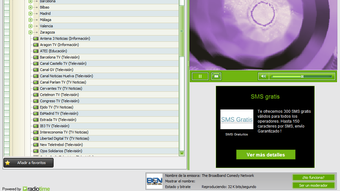
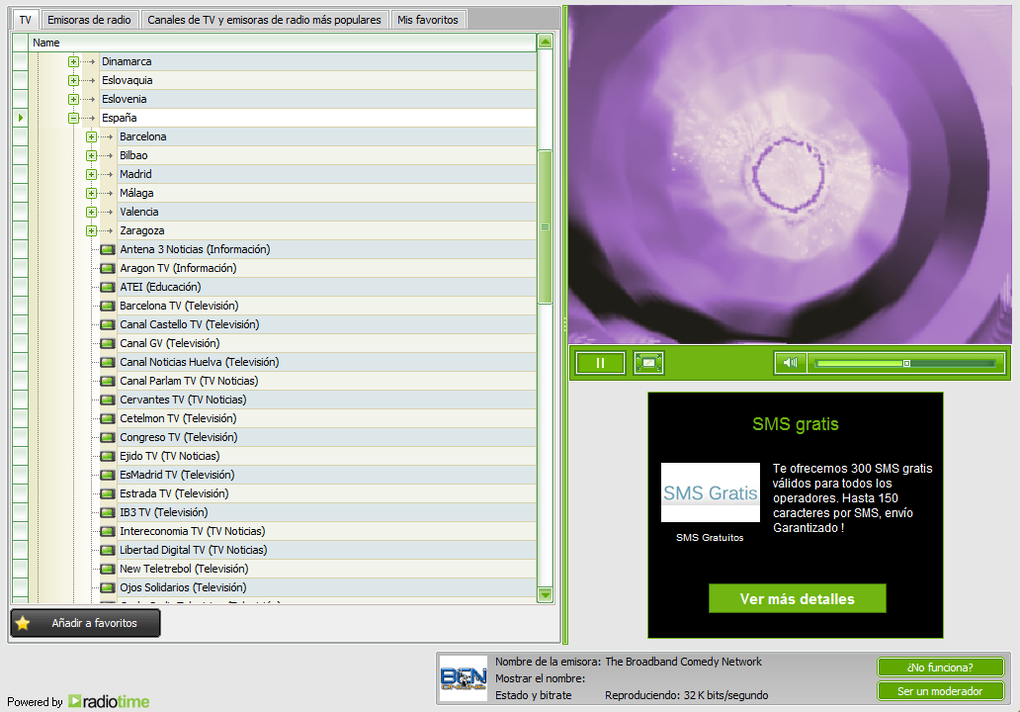
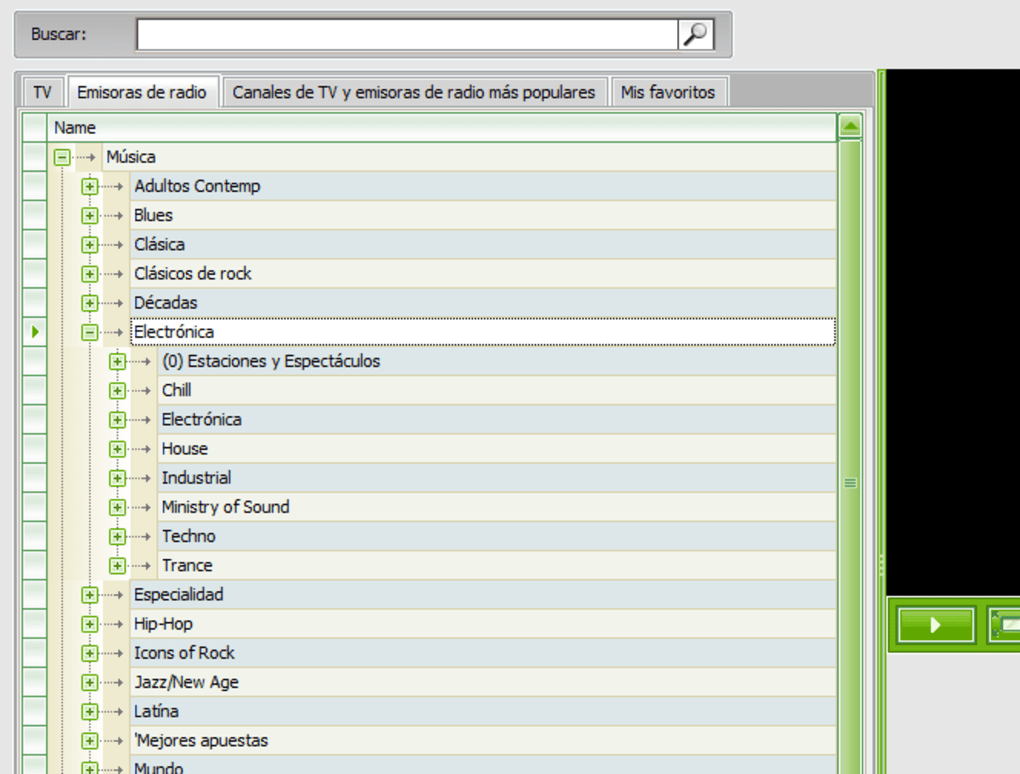
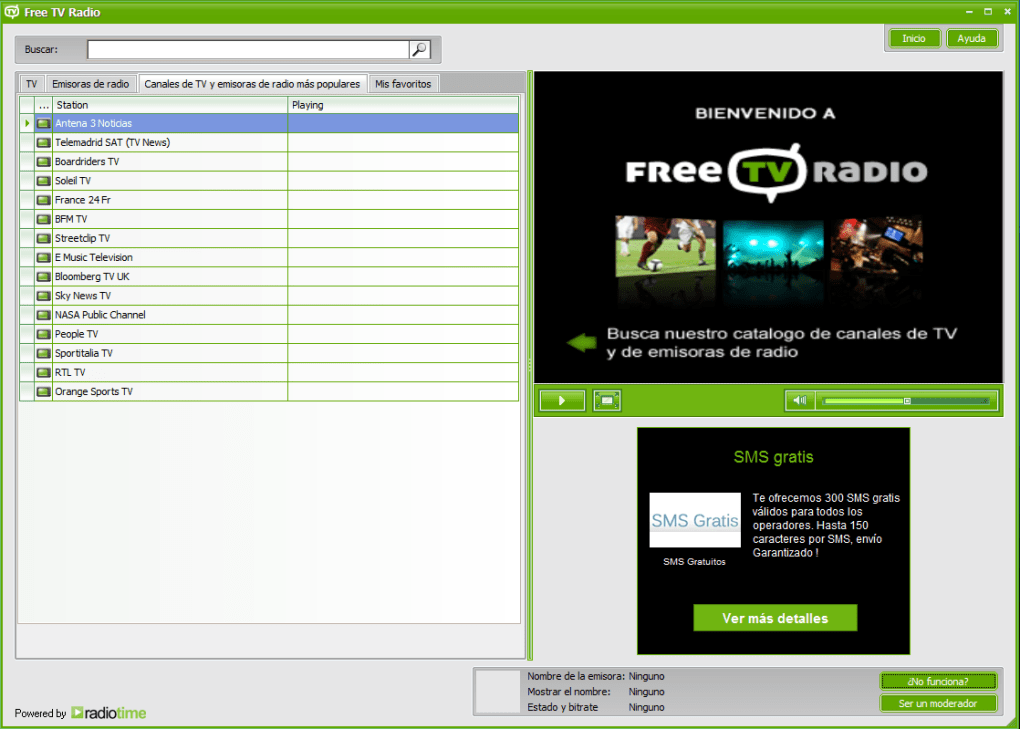
Free TV Radio offers a streamlined set of features that make it a compelling option for users seeking free global media content. One of its standout attributes is the extensive library of live TV and radio stations from across the world. From major news networks and sports broadcasts to niche music channels and talk radio, the software provides access to a diverse range of programming. The interface is clean and user-friendly, allowing even first-time users to navigate channels with ease. You can browse by country, category, or language, making it simple to find content that matches your interests.
Another major advantage is the software’s lightweight design. Unlike many modern streaming tools that consume significant system resources, Free TV Radio operates efficiently on older hardware, making it ideal for users with legacy Windows systems like XP or Vista. It doesn’t require a powerful processor or high RAM, ensuring smooth playback without lag. The program also supports multiple languages, enhancing accessibility for non-English speakers. Whether you're tuning into a live football match from Brazil or listening to classical music on a German radio station, the experience is consistent and reliable.
Additionally, Free TV Radio doesn’t require registration or login, meaning you can start streaming instantly after download. There are no intrusive ads or pop-ups—just pure, uninterrupted access to live content. While it may lack advanced features like recording or playlist creation, its core purpose is clear: provide free, real-time media streaming with minimal friction. For users who value simplicity, privacy, and cost-free entertainment, this software delivers exactly what it promises.
How to Install and Use Free TV Radio
Installing Free TV Radio is a straightforward process, especially for users familiar with older Windows environments. First, visit a trusted software download site and search for “Free TV Radio.” Download the installer file, which is typically a small executable (under 10MB), ensuring quick transfer even on slower internet connections. Once downloaded, double-click the file to begin installation. The setup wizard will guide you through a simple process—just click “Next” and accept the default settings. No additional software or third-party tools are required.
After installation, launch the program from your desktop or Start menu. The main interface displays a categorized list of TV and radio stations, grouped by region and content type. You can click any station to start streaming immediately. The player window is minimal, with basic controls like play, pause, and volume adjustment. If you encounter buffering or playback issues, ensure your internet connection is stable and consider switching to a different server or channel. The software doesn’t include built-in troubleshooting tools, but its simplicity means there are fewer points of failure.
For optimal performance, it’s recommended to close other bandwidth-heavy applications while streaming. Also, make sure your Windows system is up to date with the latest security patches, even if you're using an older OS. While Free TV Radio hasn’t been updated since 2010, it remains functional on Windows XP, Vista, and similar systems. For users on modern Windows versions like 10 or 11, compatibility may be limited, but some users report success using compatibility mode. Overall, the usage experience is smooth and intuitive, making it a great choice for casual viewers and listeners who want a no-frills streaming tool.
Compatibility and System Requirements
Free TV Radio is designed specifically for the Windows operating system, with full compatibility with Windows XP and earlier versions. This makes it a valuable tool for users still relying on legacy systems or those who prefer lightweight software that doesn’t strain older hardware. While the software doesn’t officially support Windows 7, 8, or 10, many users have successfully run it using compatibility mode, which emulates an older Windows environment. To enable this, right-click the executable, go to Properties > Compatibility, and select “Windows XP (Service Pack 3)” as the mode.
System requirements are minimal: a processor of 800 MHz or higher, 128 MB of RAM, and at least 50 MB of free disk space. These low demands ensure that even outdated computers can handle the software without performance issues. Internet connectivity is the only essential requirement, with a recommended speed of at least 1 Mbps for smooth streaming. Higher speeds (2 Mbps or more) are advised for HD-quality streams, though most channels are available in standard definition.
Language support includes English, Spanish, German, and several others, making it accessible to a global audience. The software does not support Mac, Android, or iOS devices, so users on these platforms will need to explore alternative solutions. However, for Windows users seeking a secure, free, and easy-to-use streaming tool, Free TV Radio remains a solid option. Always download from reputable sources to avoid malware or fake versions.
Pros and Cons of Free TV Radio
- Pros:
- Completely free with no hidden costs or subscriptions
- Lightweight and efficient, ideal for older Windows systems
- Simple, intuitive interface with quick access to global channels
- Supports multiple languages including English, Spanish, and German
- No registration required—start streaming instantly
- Minimal system resource usage, even during extended playback
- Cons:
- Latest update was in 2010—no recent improvements or bug fixes
- Not compatible with modern Windows versions (10/11) without workarounds
- Limited features—no recording, playlist, or offline viewing
- Some channels may be unstable or unavailable due to server issues
- No mobile support for Android or iOS users
Frequently Asked Questions (FAQ)
- Is Free TV Radio safe to download?
Yes, Free TV Radio is safe when downloaded from trusted sources. Always verify the website before downloading to avoid fake or malware-infected versions. The original software has been used by thousands without major security issues.
- Can I use Free TV Radio on Windows 10 or 11?
Officially, no, but many users have made it work using compatibility mode. Right-click the .exe file, go to Properties > Compatibility, and select "Windows XP (Service Pack 3)." This often resolves installation and runtime issues.
- Does Free TV Radio require an internet connection?
Yes, a stable internet connection is required to stream live TV and radio. A minimum of 1 Mbps is recommended for standard-quality playback.
- Can I record live TV or radio shows?
No, Free TV Radio does not include recording or saving features. It’s designed purely for live streaming without any additional functionality.
- Are there ads or pop-ups in the software?
No, one of the key benefits is the absence of intrusive ads. The software remains clean and focused on streaming content without distractions.
Conclusion: Is Free TV Radio Worth Downloading?
If you're a Windows user with an older system or someone who values simplicity and cost-free entertainment, Free TV Radio is still a worthwhile download. Despite its age and lack of recent updates, it delivers on its core promise: access to live TV and radio stations from around the world—completely free and without registration. Its lightweight design ensures smooth performance on low-end hardware, and the clean interface makes navigation easy. While it lacks modern features like recording or mobile compatibility, it excels in reliability and ease of use.
For users in India, South Africa, Indonesia, and other regions with high demand for free media, it remains a practical tool. If you're looking to explore global content without spending a cent, Free TV Radio is a secure, proven option. Just be sure to download from a trusted source and use compatibility mode on newer Windows versions.
Download Free TV Radio today and start streaming live global media—no cost, no hassle, just entertainment.
Guides & Tutorials for Free TV Radio
How to install Free TV Radio
- Click the Preview / Download button above.
- Once redirected, accept the terms and click Install.
- Wait for the Free TV Radio download to finish on your device.
How to use Free TV Radio
This software is primarily used for its core features described above. Open the app after installation to explore its capabilities.
User Reviews for Free TV Radio 0
No reviews found





